Understanding AI Text to Video Generators
As technology continues to evolve, the realm of content creation has been profoundly altered by artificial intelligence (AI). One of its most exciting developments is the AI text to video generator, a tool that transforms written text into engaging video content automatically. This innovation not only streamlines the video production process but also opens the door for creative professionals, educators, marketers, and businesses to reach their audiences more effectively. For those interested in exploring how to use an AI text to video generator, understanding the underlying technology can significantly enhance your video creation experience.
What is an AI Text to Video Generator?
An AI text to video generator is a software tool that leverages advanced algorithms to convert written text into video content. These generators analyze the text and produce relevant visuals, audio, and animations, making it easy for users to create professional-quality videos without extensive technical skills. With the rise of digital marketing and social media, these tools have become indispensable for anyone looking to produce quick and eye-catching video content.
How Do AI Text to Video Generators Work?
AI text to video generators utilize a combination of natural language processing (NLP) and computer vision technologies. When a user inputs text, the software breaks down the content into manageable parts, identifying key themes and concepts. It then matches these elements with visual assets from a built-in library or generates new visuals based on the given prompts. The result is a video that aligns closely with the user's original message, often accompanied by music and narration.
Benefits of Using AI for Video Creation
- Time Efficiency: Creating videos manually can be time-consuming. AI generators significantly reduce the time required to produce engaging video content.
- Cost-Effectiveness: With AI tools, businesses can save on production costs typically associated with hiring professional videographers and editors.
- Accessibility: Even those without prior video editing experience can produce high-quality videos easily, democratizing content creation.
- Scalability: AI text to video generators enable users to create videos at scale, making it easier to maintain consistent messaging across multiple platforms.
Getting Started: How to Use an AI Text to Video Generator
For those eager to dive into the world of AI-generated video content, getting started requires a few key considerations. When exploring options, how to use an AI text to video generator can provide comprehensive insights into selecting the right tool and maximizing its potential.
Choosing the Right AI Tool for Your Needs
The market is filled with various AI text to video generators, each offering unique features. When selecting a tool, consider factors such as the quality of generated videos, customization options, user interface, and pricing. Tools like Canva, Adobe Firefly, and VEED are popular choices that provide different functionalities suited for various users—from beginners to professionals.
Setting Up Your First Project
Once you've chosen your AI video generator, setting up your first project is typically straightforward. Most platforms require you to create an account, after which you can start a new project by selecting a template or starting from scratch. Familiarize yourself with the interface, explore available tools, and prepare to input your text.
Inputting Text: Best Practices
Effective video creation begins with how you structure your text input. Here are some best practices to consider:
- Be Concise: The more clear and concise the text, the better the AI can generate relevant visuals.
- Use Keywords: Include essential keywords that reflect the main ideas to guide the AI in creating focused content.
- Incorporate Storytelling: If applicable, incorporating a narrative structure can help in crafting a more engaging video.
Techniques for Optimizing Your Video Output
While AI generators do a remarkable job, there are specific techniques you can implement to enhance the final output and ensure it aligns with your creative vision.
Customizing Visuals and Audio
Most AI text to video generators offer options for customizing visuals and audio. This includes selecting different styles, graphics, and audio tracks. Tailor these elements to your brand's identity or the video's intended mood for a more polished result.
Editing and Refining Generated Videos
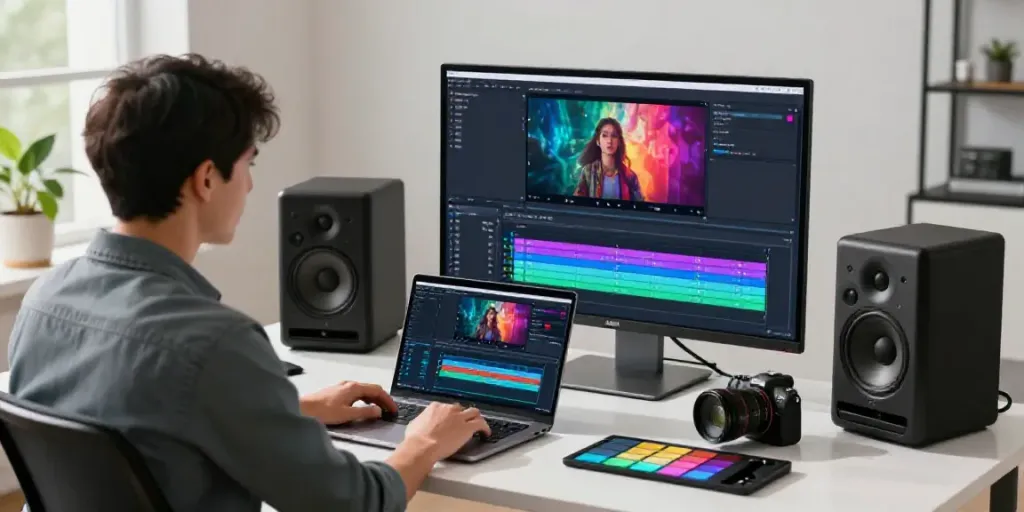
After generating your video, use available editing tools to fine-tune it. Adjust timing, transitions, and clip lengths as needed. Many generators allow for easy drag-and-drop adjustments, making it simple to refine your video until it meets your expectations.
Adding Personal Touches for Better Engagement
To enhance viewer engagement, consider adding personal touches, such as logos, personalized messages, or specific calls to action (CTAs). Making your video relatable and aligned with your audience's interests will increase its impact.
Common Challenges When Using AI Video Generators
Despite their many advantages, users may encounter challenges when working with AI text to video generators. Understanding these challenges can help you navigate the process more effectively.
Limited Control Over Creative Outputs
One of the primary criticisms of AI-generated content is the limited control over the final output. Users may find that the AI doesn’t always interpret their text as intended, leading to unexpected visuals or narration. Keeping your instructions clear and straightforward can help mitigate this issue.
Managing Expectations with AI Technology
While AI technology is impressive, it’s essential to manage expectations. Not every generated video will be perfect on the first try. Be prepared to edit and iterate on your videos to achieve desired results.
Technical Issues and Troubleshooting Tips
Like any software, AI video generators may occasionally experience technical hiccups. If you encounter issues, check the FAQs or customer support available on the platform. Common troubleshooting steps include refreshing the page, clearing your cache, or ensuring your internet connection is stable.
Future Trends in AI Video Generation by 2026
The future of AI video generation is bright, with trends indicating further advancements that will reshape the landscape of video content creation.
Emerging Technologies: What to Expect
By 2026, we can anticipate increasingly sophisticated AI models that offer enhanced creativity and flexibility. Machine learning algorithms will likely improve, allowing for better context understanding and more dynamic video generation capabilities.
Impact of AI on Video Marketing Strategies
With the growth of digital marketing, AI-generated videos will become a staple in marketing strategies. Businesses will increasingly rely on video content to communicate their messages, and AI tools will help streamline this process, making video creation more accessible than ever.
Predictions for User Engagement and Creative Solutions
As user preferences shift, the emphasis on personalized and interactive video content will grow. AI technologies will enable creators to produce tailored videos that resonate with individual viewers, leading to higher engagement rates and customer loyalty.